Trade Order POS Integration
This is what B2B Price Tiers is built for: feeding the right wholesale price to your trade counter automatically. Once connected, Trade Order POS prices each customer's cart with no manual lookups.
How it works
The two apps are linked by a single setting in Trade Order POS:
-
Copy your connection URL, then paste it into Trade Order POS
In B2B Price Tiers, go to Settings → Trade Order POS integration and copy the connection URL. It contains a private API key, so it looks like
https://b2b-prices.mcp-g.com?key=…— treat it like a password. In Trade Order POS, paste it into Settings → B2B Price Tiers, save and reload. This tells POS where to fetch tier prices from and authenticates it to your account.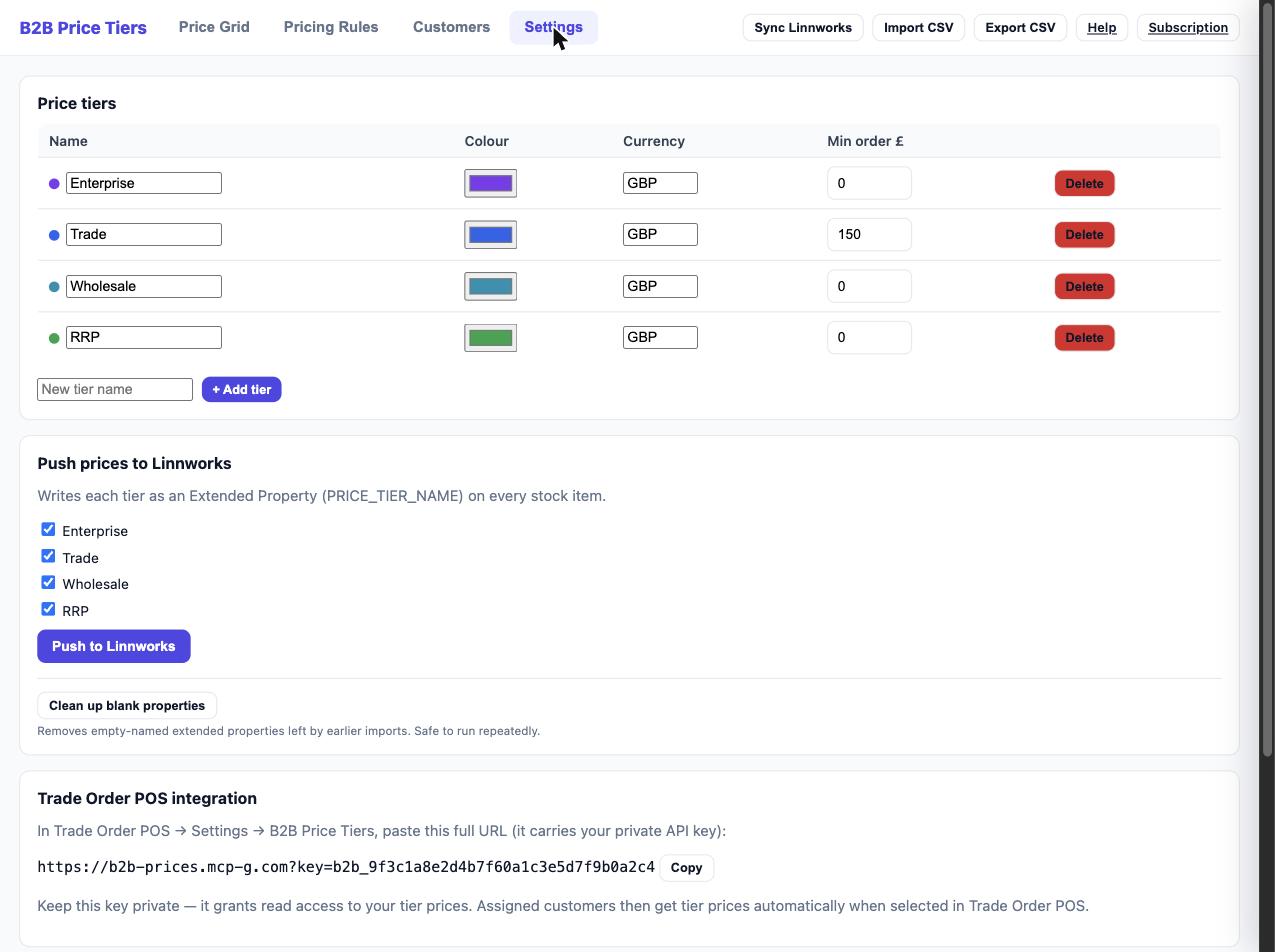
-
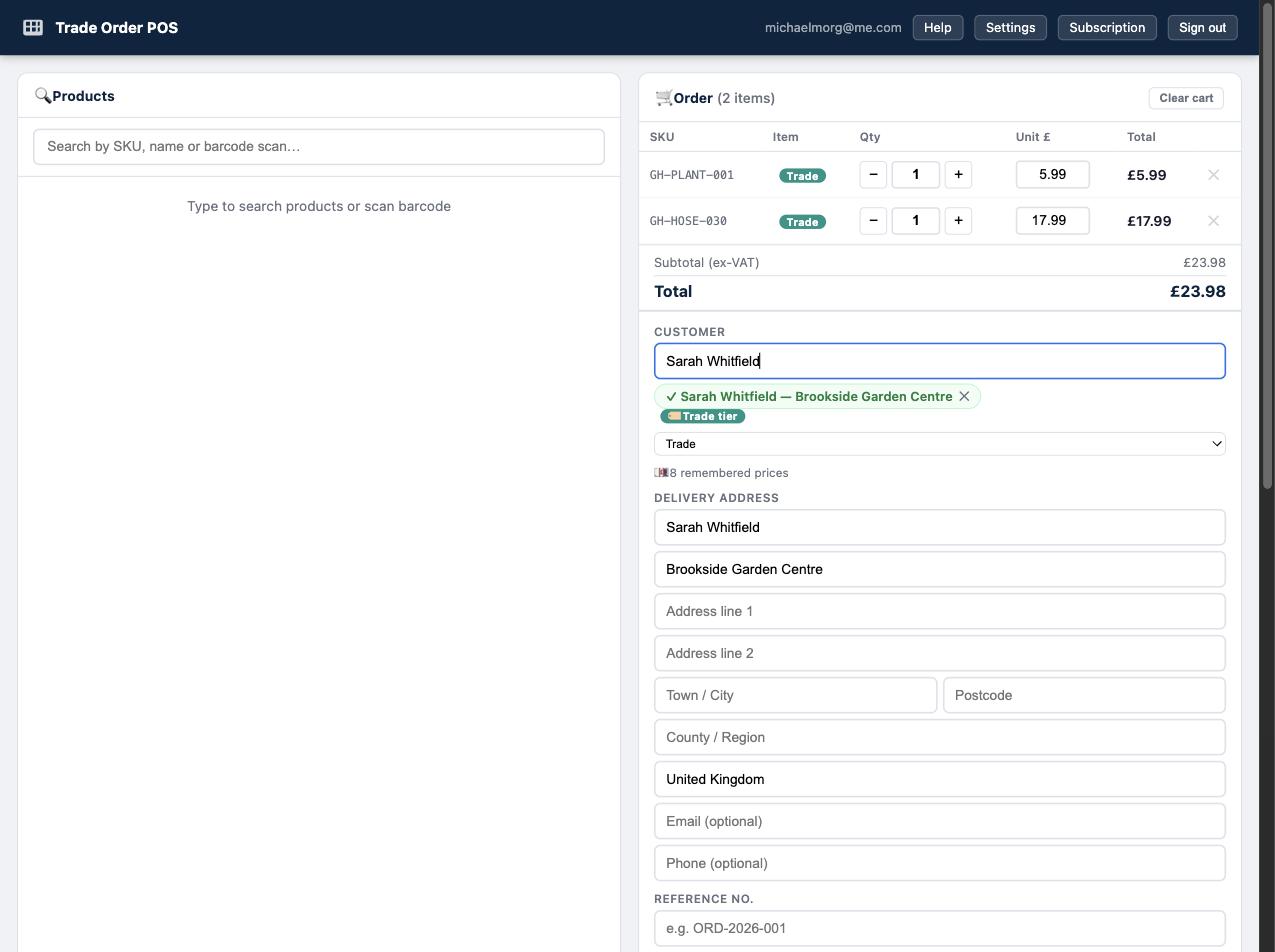
Pick a customer in POS
When a member of staff selects a customer, Trade Order POS fetches that customer's tier prices from B2B Price Tiers — using the tier you assigned on the Customers screen.
-
Prices apply automatically
POS applies the fetched tier prices to the cart automatically. Your staff don't look anything up — the right price is just there.
Setup checklist
For the integration to price correctly, make sure you've:
- Connected Linnworks and synced your catalogue in B2B Price Tiers.
- Set tier prices, via Pricing Rules, the Price Grid or CSV import.
- Assigned customers to tiers (you can also do this from inside Trade Order POS).
- Pasted your connection URL (from Settings → Trade Order POS integration) into Trade Order POS settings.
Minimum Order Value
Each tier can have a Minimum Order Value, set per tier in Settings via the Min order £ field. When a Trade Order POS order for that tier's customer falls below the minimum, POS shows a warn-don't-block prompt on submit — staff are warned but can still proceed. See Customers & Tiers for where to set it.
Two apps, one job. B2B Price Tiers is where you manage and calculate wholesale pricing; Trade Order POS is where staff place orders at the counter. The integration means the price you set in one shows up in the other with no re-keying.