Pricing Rules
Pricing Rules is the formula engine at the heart of B2B Price Tiers. Instead of typing a price for every SKU by hand, you describe how each tier's price should be calculated — once — and the engine computes it for every SKU in your catalogue.
How a rule is built
You set one rule per tier. Each rule has three parts:
- Base price — what to calculate from. One of:
- Linnworks Cost (the purchase price)
- Linnworks Retail (the RRP)
- Another tier's price (a tier-relative rule, e.g. base Wholesale on the Trade price)
- Operation — what to do to the base:
- Add a percentage
- Subtract a percentage
- Add a fixed amount in £
- Subtract a fixed amount in £
- Multiply
- None — use the base value as-is
- Attractive rounding — tidy the result to a familiar price ending:
- Ending:
.99,.95,.49,.50or.00 - Direction: round up, down or to the nearest
- Ending:
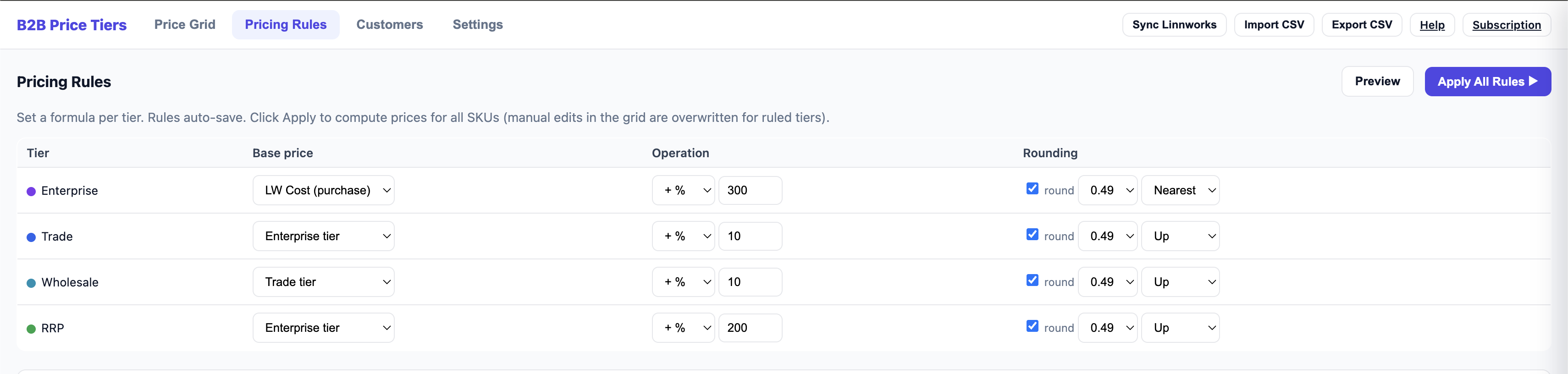
Example. Trade = Linnworks Cost → add 35% → round up to .99. A SKU costing £4.10 becomes £5.54 after the markup, then rounds up to £5.99.
Rules auto-save
You don't need a Save button — as you edit a rule, it auto-saves. The rule is stored against the tier and reused every time you apply rules.
Preview before you apply
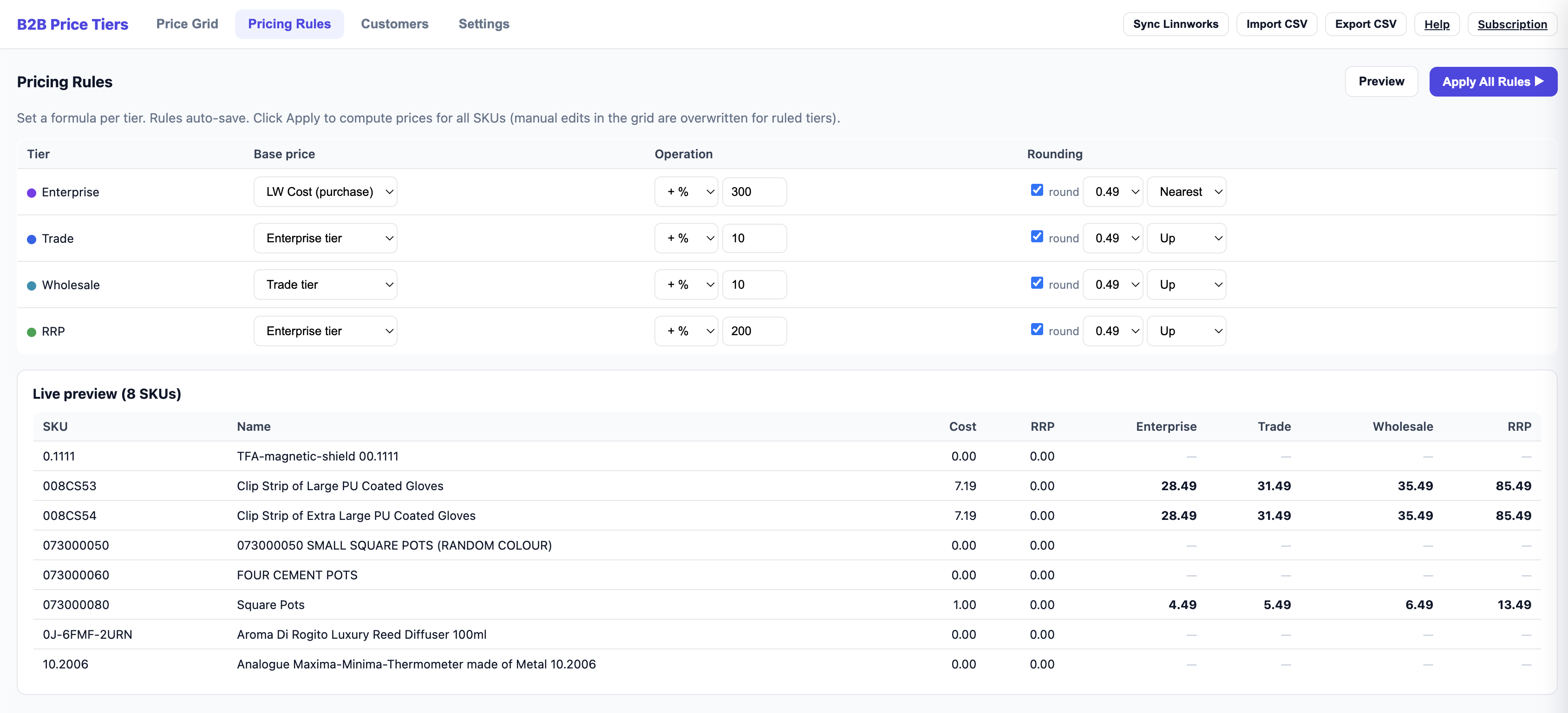
Click Preview to see the rule applied to a handful of sample SKUs. This lets you sanity-check the maths and rounding before touching your whole catalogue.
Apply All Rules
When you're happy, click Apply All Rules. The engine computes and writes the price for every SKU across all ruled tiers.
Clear
Made a mess? Clear (next to Preview) wipes every price in every tier — computed and manually-edited — after an are-you-sure confirmation. Your tiers, rules and customer assignments are kept, so you can adjust the rules and Apply again from a clean slate. Prices already pushed to Linnworks are not touched until your next push.
Applying overwrites prices for ruled tiers. If you've made manual edits in the Price Grid to a tier that has a rule, those manual edits are replaced when you Apply All Rules. Tiers without a rule are left untouched.
Tier-relative rules and dependency order
A rule can base one tier on another — for example Wholesale = Trade − 10%. When you Apply All Rules, the engine works out the dependency order automatically: it computes Trade first, then computes Wholesale after its dependency is ready. This means you can chain tiers off one another and trust the maths resolves in the right sequence.
Tip. A common setup is to base your headline tier on cost (e.g. Trade = Cost + 35%), then derive the rest relatively (Wholesale = Trade − 10%, Enterprise = Wholesale − 8%). Change the Trade markup once and the whole ladder recalculates on the next Apply.
For day-to-day tweaks to individual SKUs, use the Price Grid and bulk maths. To send the finished prices into Linnworks, see Push to Linnworks.