Push to Linnworks
Push writes your tier prices back into Linnworks so they live natively against your stock items — useful if you want your tier prices available to Linnworks itself or to other tools that read Extended Properties.
What Push does
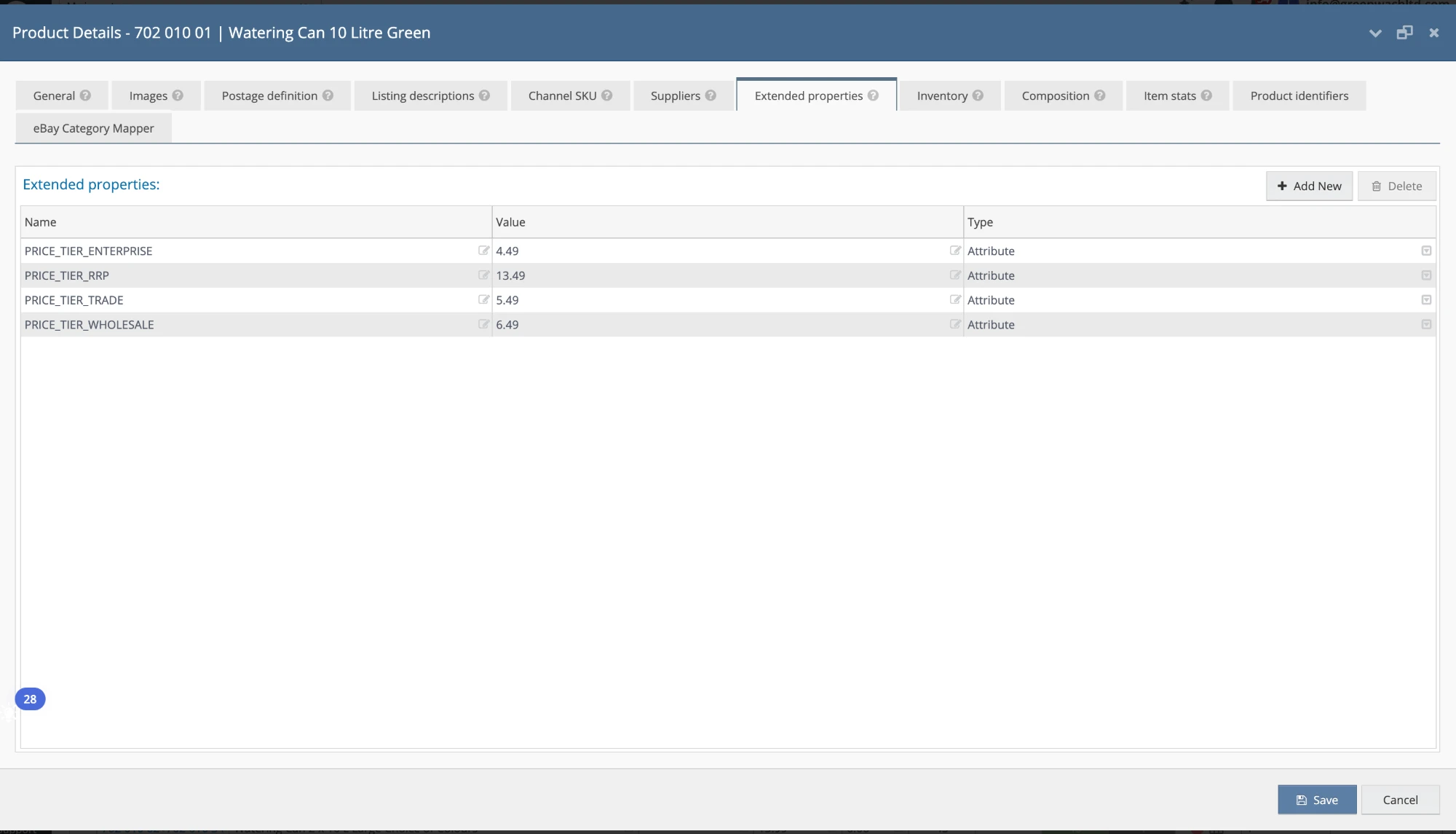
When you push, B2B Price Tiers writes each chosen tier back to Linnworks as an Extended Property on every stock item. The property is named:
PRICE_TIER_<NAME>…where <NAME> is your tier's name. So if your tiers are Enterprise, Wholesale and Trade, each stock item gains Extended Properties like:
PRICE_TIER_ENTERPRISE
PRICE_TIER_TRADE
PRICE_TIER_WHOLESALE
PRICE_TIER_RRP
Each property holds that tier's price for that SKU. Once pushed, Linnworks holds your tier prices natively.
Running a push
-
Choose which tiers to push
Pick the tiers you want written to Linnworks.
-
Push
B2B Price Tiers writes
PRICE_TIER_<NAME>Extended Properties across every stock item for the chosen tiers.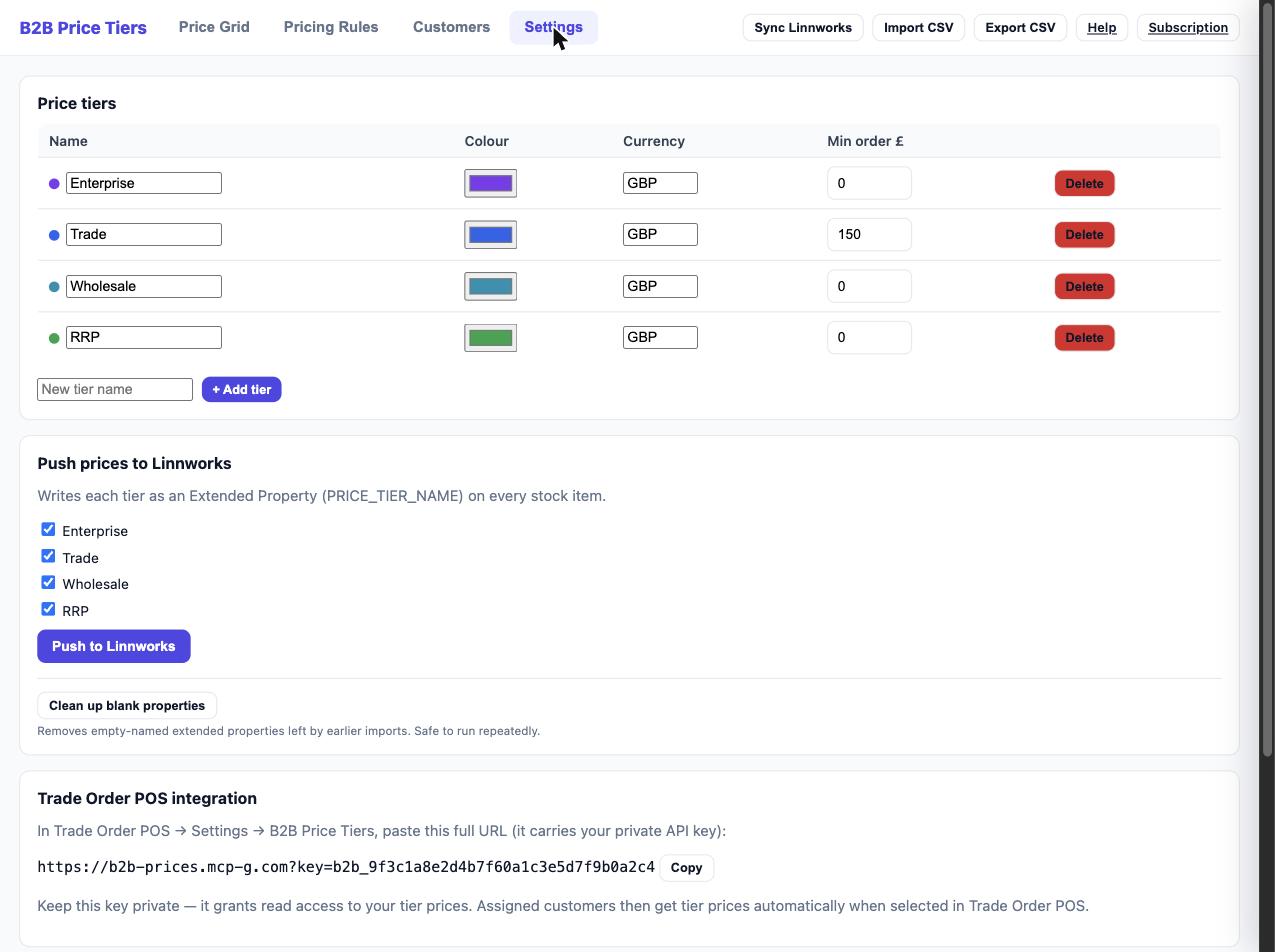
Do I need to push for Trade Order POS to work? No. Trade Order POS reads prices directly from B2B Price Tiers via the integration (see Trade Order POS Integration). Push is for getting your tier prices into Linnworks itself, where they're available to Linnworks and any other tool that reads Extended Properties.
Re-push after price changes. The Extended Properties in Linnworks are a snapshot from the last push. If you change tier prices (via rules, the grid, bulk maths or CSV), push again to keep Linnworks in step.
Cleaning up blank properties
Settings has a Clean up blank properties button that removes any empty-named Extended Properties left behind by earlier imports. It's safe to run repeatedly. It processes in batches, so if it reports that more remain, just click it again until they're all cleared.