CSV Import & Export
If you'd rather edit prices in a spreadsheet, B2B Price Tiers round-trips your whole catalogue through a single CSV. Export, edit in Excel or Google Sheets, then import back.
Export
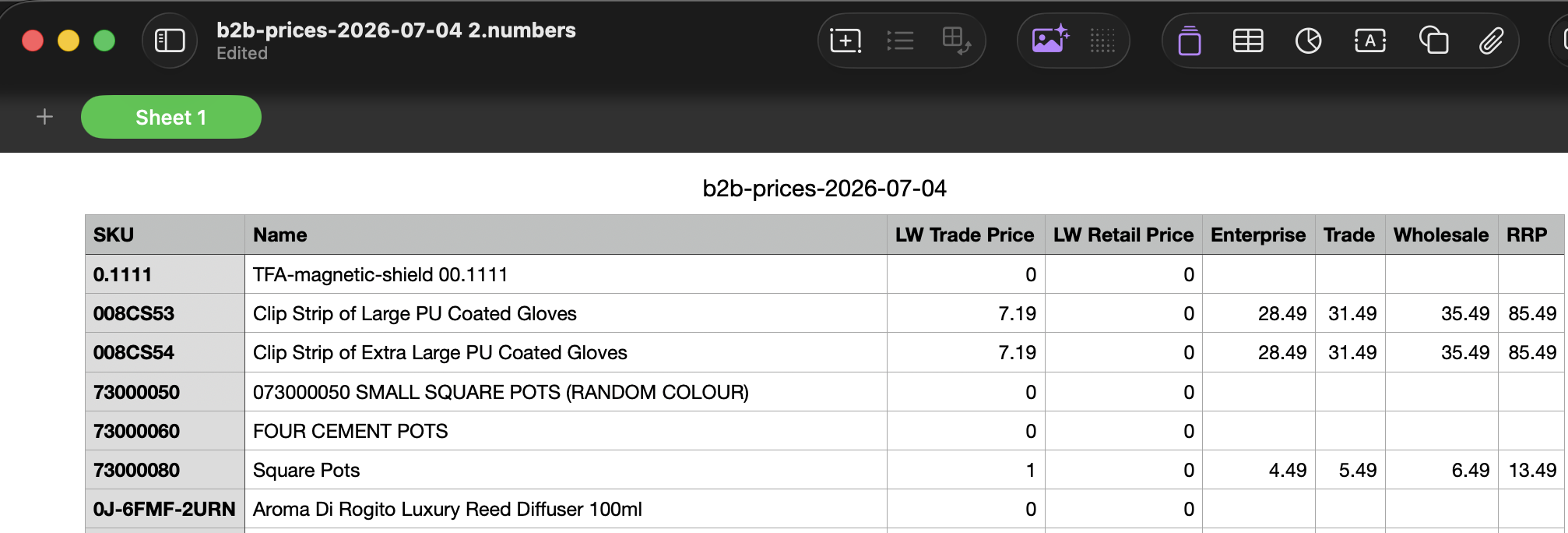
Export produces one sheet with these columns:
SKU, Name, LW Trade Price, LW Retail Price, <tier names…>So the first four columns are the SKU, its name, and the Linnworks Trade and Retail prices, followed by one column for each of your tiers, named exactly as your tiers are named.
Number formats: price cells accept both UK/US (1,234.56, 12.50) and European (1.234,56, 12,50) formats, with or without a £/€/$ symbol. Anything ambiguous is rejected with a per-row error rather than guessed at.
Import
Import reads a CSV back in and updates your tier prices. The rules it follows:
- Columns match tiers by name, case-insensitively. A column headed
wholesalemaps to your Wholesale tier. - Empty cells leave prices intact — a blank cell does not wipe an existing price; it's simply skipped.
- Unknown columns are ignored — any column that doesn't match a tier name is left alone, so you can keep extra notes columns in your sheet.
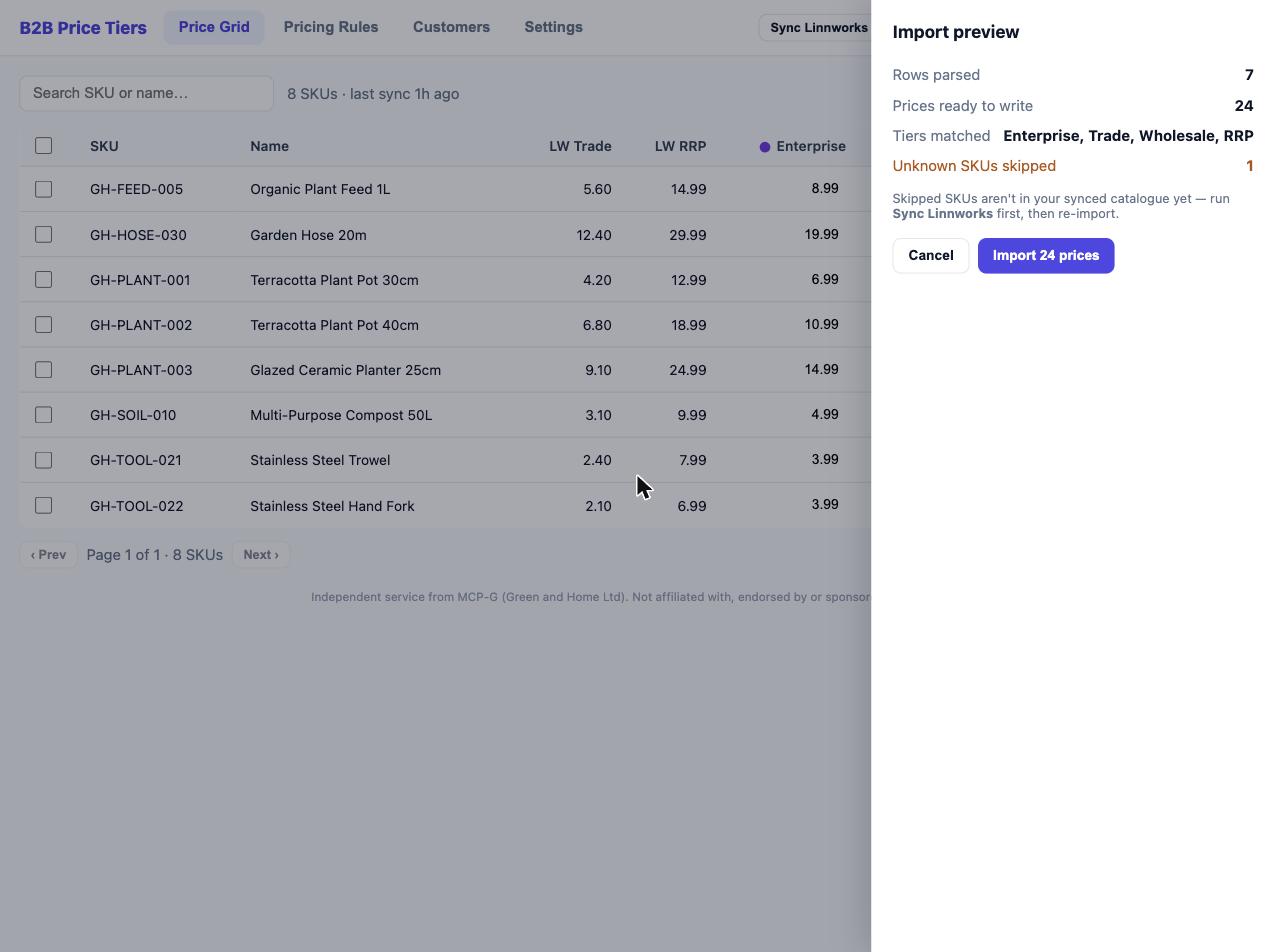
- Unknown SKUs are skipped — if a SKU in the file isn't in your catalogue, that row is skipped. Sync first (see Getting Started) so all your SKUs are present.
Preview before writing
Import always shows a preview of what will change before anything is written. Check it, then confirm to apply.
A clean round-trip. The easiest workflow is: Export → edit only the tier columns you want to change → Import. The LW Trade Price and LW Retail Price columns are there for reference; tier columns are what import writes.
Imported prices are manual overrides. Like grid edits, prices brought in via CSV are overrides. If you later run Apply All Rules on a tier that has a rule, the rule recomputes and replaces the imported values for that tier.