Price Grid & Bulk Maths
The Price Grid is your spreadsheet-style view of every SKU. It's where you eyeball your pricing, fine-tune individual cells, and run one-off bulk adjustments across a selection of rows.
The Price Grid
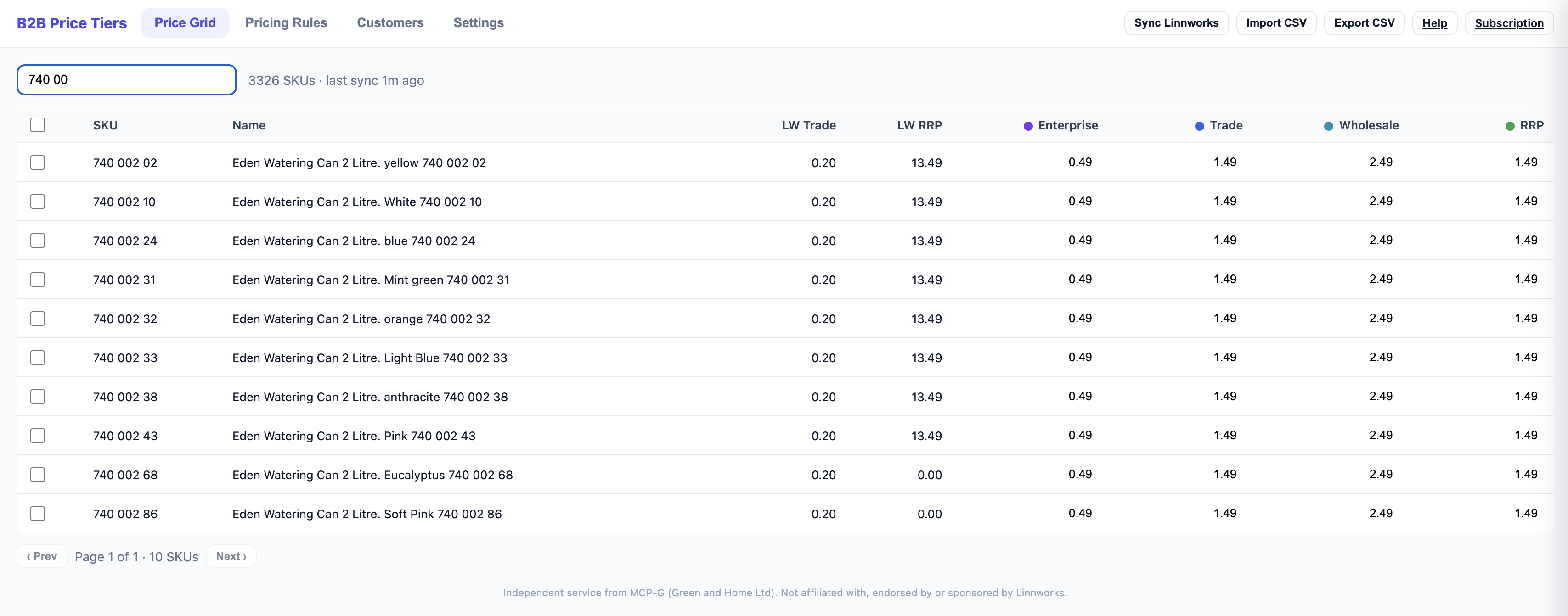
The grid shows one row per SKU, with columns for:
- SKU and product name
- Linnworks cost and RRP (read-only — these come from your Linnworks sync)
- One column per tier — the price for that tier
Inline editing
Click any tier cell and type to set a price directly. To remove a price, clear the cell. Manual edits made here are overrides.
Search and pagination
Search by SKU or product name to jump to the items you care about. The grid is paginated so large catalogues stay fast.
Manual overrides always win — until rules are re-applied. A price you type into the grid sticks, even over a rule. But if you later run Apply All Rules (see Pricing Rules), the rule recomputes and replaces your manual edits for any ruled tier. Tiers without a rule keep their manual values.
Bulk maths
Bulk maths lets you apply a one-off adjustment to many SKUs at once — handy for a quick across-the-board change that you don't want to encode as a permanent rule.
-
Select rows
Tick the SKUs you want to adjust in the Price Grid.
-
Click "Apply maths"
This opens the bulk-maths panel.
-
Define the adjustment
Choose the operation (add/subtract %, add/subtract fixed £, multiply) and the rounding, applied against one of:
- the current tier price
- Linnworks cost
- Linnworks RRP
-
Check the live preview
As you set the adjustment, a live preview shows the resulting prices for the selected rows. Confirm to write them.
Bulk maths vs Pricing Rules. Bulk maths is a one-off change to the rows you've selected — it isn't remembered. Pricing Rules are persistent formulas that recompute every time you Apply All Rules. Use bulk maths for ad-hoc tweaks, rules for your standing pricing strategy.
Need to edit prices in a spreadsheet instead? See CSV Import & Export.